TechEvangelistSEOTechEvangelistSEO
🚫 No Watermark Fast & Free🔒 No Data Stored Free Forever

Updated April 2026 — Working with latest Kick URL formats

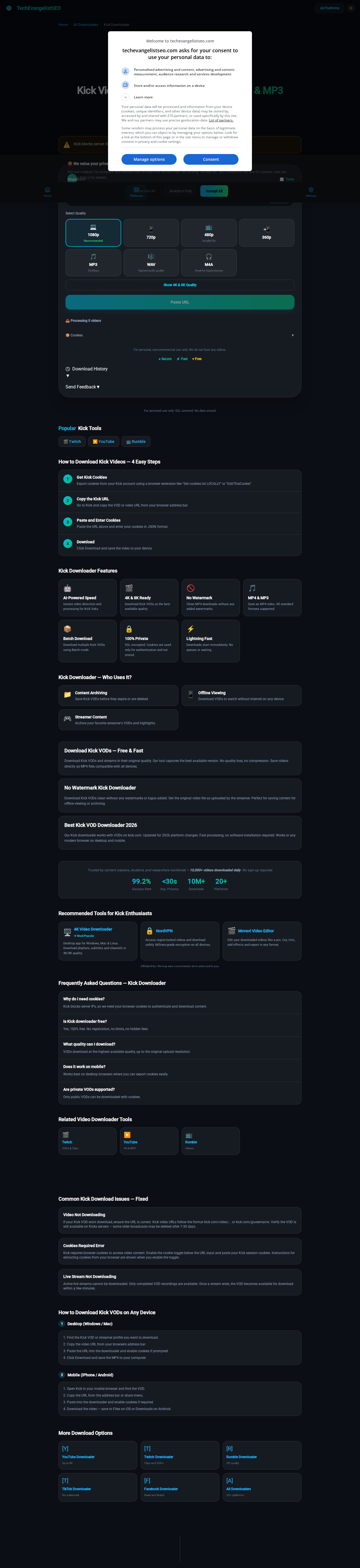
Kick Video Downloader

Kick Video Downloader — Free 4K, 1080p & MP3

Download Kick VODs and streams. Fast, free, and requires cookies due to platform restrictions.

VideosVODsStreamsMP4
⚠️

Kick blocks server IPs. Export cookies from your browser and paste them below to download.

Select Quality

📥 Processing 0 videos

For personal, non-commercial use only. We do not host any videos.

● Secure⚡ Fast♥ Free
Download History
Send Feedback

For personal use only. SSL secured. No data stored.

PopularKick Tools

How to Download Kick Videos — 4 Easy Steps

1
Get Kick Cookies

Export cookies from your Kick account using a browser extension like "Get cookies.txt LOCALLY" or "EditThisCookie".

2
Copy the Kick URL

Go to Kick and copy the VOD or video URL from your browser address bar.

3
Paste and Enter Cookies

Paste the URL above and enter your cookies in JSON format.

4
Download

Click Download and save the video to your device.

Kick Downloader Features

🤖

AI-Powered Speed

Instant video detection and processing for Kick links.

🎬

4K & 8K Ready

Download Kick VODs at the best available quality.

🚫

No Watermark

Clean MP4 downloads without any added watermarks.

🎵

MP4 & MP3

Save as MP4 video. All standard formats supported.

📦

Batch Download

Download multiple Kick VODs using Batch mode.

🔒

100% Private

SSL encrypted. Cookies are used only for authentication and not stored.

Lightning Fast

Downloads start immediately. No queues or waiting.

Kick Downloader — Who Uses It?

📁
Content Archiving

Save Kick VODs before they expire or are deleted.

📱
Offline Viewing

Download VODs to watch without internet on any device.

🎮
Streamer Content

Archive your favorite streamer's VODs and highlights.

Download Kick VODs — Free & Fast

Download Kick VODs and streams in their original quality. Our tool captures the best available version. No quality loss, no compression. Save videos directly as MP4 files compatible with all devices.

No Watermark Kick Downloader

Download Kick VODs clean without any watermarks or logos added. Get the original video file as uploaded by the streamer. Perfect for saving content for offline viewing or archiving.

Best Kick VOD Downloader 2026

Our Kick downloader works with VODs on kick.com. Updated for 2026 platform changes. Fast processing, no software installation required. Works in any modern browser on desktop and mobile.

Trusted by content creators, students, and researchers worldwide — 10,000+ videos downloaded daily. No sign-up required.

99.2%
Success Rate
<30s
Avg. Process
10M+
Downloads
20+
Platforms

Recommended Tools for Kick Enthusiasts

Affiliate links. We may earn a commission at no extra cost to you.

Frequently Asked Questions — Kick Downloader

Why do I need cookies?

Kick blocks server IPs, so we need your browser cookies to authenticate and download content.

Is Kick downloader free?

Yes, 100% free. No registration, no limits, no hidden fees.

What quality can I download?

VODs download at the highest available quality, up to the original upload resolution.

Does it work on mobile?

Works best on desktop browsers where you can export cookies easily.

Are private VODs supported?

Only public VODs can be downloaded with cookies.

Related Video Downloader Tools

Kick Download Guides & Tips

What Are Kick VODs?

Kick is a rapidly growing live streaming platform that competes directly with Twitch, offering streamers better revenue splits and more flexible content policies. When a streamer broadcasts live on Kick, the platform automatically archives the broadcast as a Video on Demand, commonly called a VOD. These VODs remain available on the streamer's channel page for a limited period, typically between 7 and 30 days depending on the streamer's subscription tier and Kick's current retention policies. Kick VODs capture the entire live broadcast including gameplay, commentary, chat interaction, and any overlay graphics the streamer used during the live session. Unlike short-form clips or highlights, VODs preserve the complete broadcast from start to finish, making them invaluable for viewers who missed the live event or want to rewatch specific moments. Kick also allows streamers to publish their past broadcasts permanently as highlights, which remain available indefinitely. For viewers who want to watch their favorite Kick creators offline, save memorable gaming moments, or archive content before it expires, downloading these VODs as MP4 video files is the best solution. Kick does not provide a native download feature, which is why a dedicated Kick VOD downloader is essential for saving content locally.

How to Download Kick Videos

1Desktop / Laptop

  1. Open Kick in your browser and navigate to the VOD or past stream you want to download.
  2. Copy the video URL from the browser address bar. It should look like kick.com/video/VIDEO_ID.
  3. Paste the URL into the downloader above and optionally add your cookies if prompted.
  4. Wait while the tool processes the VOD link and extracts the video file from Kick's streaming servers.
  5. Click Download to save the MP4 file directly to your computer.

2iPhone / iOS

  1. Open Safari and go to kick.com. Find the VOD or past broadcast you want to save.
  2. Tap the address bar and copy the full URL of the Kick video page.
  3. Paste the URL into the downloader input above and tap Download.
  4. Once the video finishes processing, tap the share icon in the bottom toolbar.
  5. Choose "Save to Files" to store the MP4 on your iPhone or iCloud Drive.

3Android / Chrome

  1. Open Chrome on your Android device and go to kick.com. Locate the VOD you want to download.
  2. Tap the three-dot menu and select "Copy link" or long-press the URL bar to copy.
  3. Paste the Kick video URL into the downloader above and tap Download.
  4. The tool processes the VOD and prepares your MP4 file for download.
  5. The video saves automatically to your Downloads folder for offline playback anytime.

Why Can't I Download Kick Videos Natively?

Kick does not provide a built-in download button for VODs or past streams on its platform. This is a deliberate choice common among live streaming platforms — they want viewers to visit the site and watch content within the browser or app rather than saving files locally. Unlike video-on-demand services like YouTube, which offer a limited offline viewing feature in their mobile app, Kick streams all video content through adaptive bitrate streaming protocols (HLS) that split videos into small segments rather than serving a single downloadable file. This streaming architecture makes it impossible to simply right-click and save the video. The HLS segments require a specialized tool to reassemble them into a complete MP4 file. Furthermore, Kick applies authentication checks and uses time-limited streaming URLs that expire after a short period, preventing direct URL sharing or hotlinking. A dedicated Kick video downloader overcomes these obstacles by reconstructing the full video from the stream segments and delivering it as a standard MP4 file that plays on any device.

Edit Your Video After Downloading

If you need to edit the video after downloading, CapCut is what we recommend. It's free, runs in your browser, and has all the trimming, cropping, and effects tools you need — no watermark. Most people don't realize their phone's default editor strips quality, but CapCut preserves the original 1080p.

Try CapCut Free — No Download Required

Frequently Asked Questions

Can I download Kick videos?

Yes. Public Kick VODs and past streams can be downloaded as MP4 files in up to 1080p quality.

Do I need a Kick account?

No. Public Kick content can be downloaded without logging in. Some restricted streams may require cookies.

Can I download live Kick streams?

Live streams can only be downloaded after they end and become VODs. The VOD must be processed by Kick first.

Does this work on iPhone and Android?

Yes. Works in mobile browsers. On iPhone, use the share button to save to Files after downloading.

What quality are Kick downloads?

Kick VODs are available in up to 1080p Full HD depending on the streamer's original broadcast settings.

Related Download Tools

Keep Your Downloads Private

Protect your downloads with a VPN. We recommend NordVPN — it's the fastest option for video streaming sites and keeps your IP private when using download tools. A single subscription covers 6 devices, so your phone and laptop are both protected.

Get NordVPN — 68% Off 2-Year Plan

Written by the TechEvangelistSEO team. Last updated: May 2026.