Twitter/X Ultimate Privacy Master Guide 2026 – All Settings Checklist
Want full control over who sees your Twitter or X activity? Here’s every privacy setting across web, phone, and account. Do this sequence before changing username, securing account, or deleting everything. Tested January 30, 2026.
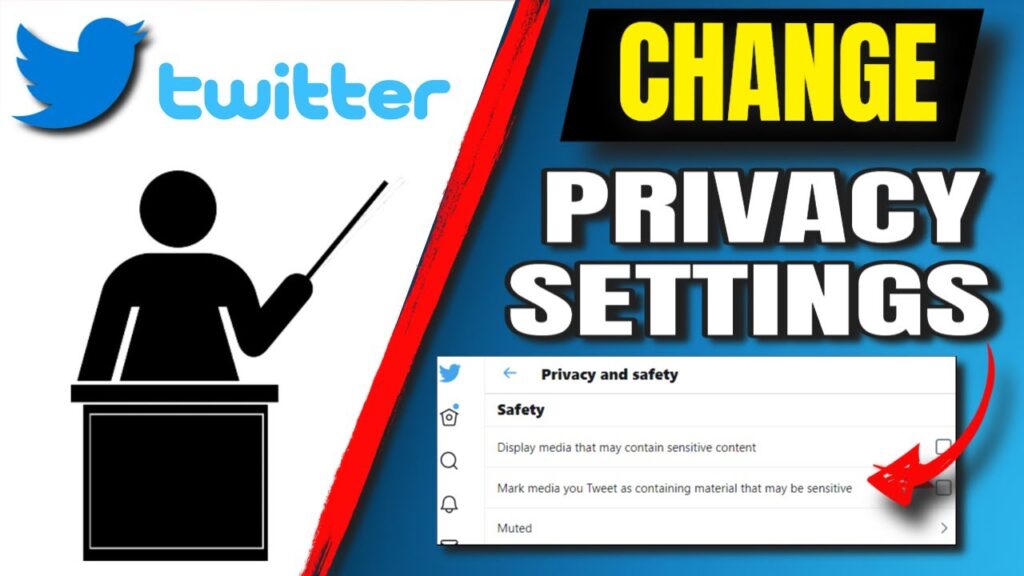
Privacy & safety → Protect posts ON → Location OFF → Tagging No one → Trends OFF → Personalization OFF.
Full privacy in 12 minutes — hide from search, block tagging, stop tracking.
Privacy Settings Priority Order
Start here, work down:
- Account private – Hide all tweets
- Location off – Stop address tracking
- Tagging blocked – Prevent photo abuse
- Trends hidden – No location leaks
- Personalization off – Block ad tracking
Master Privacy Checklist (12 Minutes Total)
| Setting | Path | Toggle | Why It Matters |
|---|---|---|---|
| Protect posts | Privacy & safety > Audience | ON | Only approved followers see tweets |
| Location info | Privacy & safety > Location | OFF | Hides where you post from |
| Photo tagging | Privacy & safety > Tagging | No one | Blocks unwanted photo links |
| Explore settings | Privacy & safety > Content | OFF | Hides interests from ads |
| Trends location | Privacy & safety > Trends | OFF | No city shown on trends |
| Personalization | Privacy & safety > Personalization | OFF | Stops ad tracking across sites |
Set All Privacy on Web
1. x.com > More > Settings & Privacy
2. Privacy & safety (left menu)
3. Flip every toggle above to safest setting
4. Save changes
Set All Privacy on Phone Apps
iPhone/Android same:
Profile > Settings & Support > Settings & privacy
Privacy & safety > Toggle everything OFF except Protect posts (ON)
What Each Setting Controls
Protect your posts (ON):
- Tweets hidden from search
- New followers need approval
- Retweets stay private
Location information (OFF):
- No city shown on profile
- Trends don’t reveal location
- Tweets don’t geotag
Photo tagging (No one):
- Can’t be tagged in photos
- No photo notifications
- Blocks spam tagging
Privacy vs Visibility Tradeoffs
| Goal | Setting | What You Lose |
|---|---|---|
| Job search | Private + no location | Public discovery |
| Content test | Private only | Growth potential |
| Total privacy | All OFF | All visibility |
| Normal use | Location OFF only | Minimal impact |
Quick Privacy Audit (Weekly)
| Check | Path | Expected |
|---|---|---|
| Lock icon | Profile | 🔒 shows |
| Follow requests | Privacy > Followers | 0-5 pending |
| Location field | Profile | Empty |
| Connected apps | Security > Apps | 0-2 max |
Account Actions That Reset Privacy
| Action | Resets Privacy? | Fix |
|---|---|---|
| New device login | No | Re-check settings |
| Password change | No | Normal |
| Username change | No | Normal |
| Account deletion | Yes | N/A |
Common Privacy Questions
Current followers see old tweets?
Yes, if account was public before.
Can I hide from search completely?
Private account + no location = invisible.
Does VPN help privacy?
Hides IP from Twitter, not content.
Turn off data sharing?
Privacy > Personalization > Off blocks most.
Complete Privacy Sequence
1. Secure account first
2. Set all toggles above
3. Log out all devices
4. Test: Ask friend to search your name
5. Backup everything
Still visible? Try full deletion path.
Video content? Save with Twitter downloader.