YouTube Transcript Downloader — Free, No Signup Tool
Paste Your YouTube Video URL
Supports youtube.com/watch, youtu.be, youtube.com/embed, and direct video IDs
TE Guide Framework: This guide follows our methodology: Understand (what and why), Apply (step-by-step instructions), Verify (how to confirm it worked). Every step has been tested and verified for 2026 accuracy.
What Is a YouTube Transcript?
A YouTube transcript is a text version of the spoken content in a YouTube video. Every video uploaded to YouTube can have captions and subtitles, which YouTube converts into a timestamped transcript file. These transcripts display every word spoken in the video along with the exact time each phrase appears. YouTube automatically generates transcripts for most videos using speech recognition technology, and creators can also upload their own custom caption files for higher accuracy. Transcripts are valuable for accessibility, allowing deaf and hard-of-hearing viewers to follow along with video content. They also help non-native speakers understand dialogue better by reading alongside the audio. Beyond accessibility, YouTube transcripts power search engine indexing, letting Google crawl the text inside videos and surface them in search results for relevant queries. Whether you need a transcript for note-taking, content repurposing, translation, or SEO research, extracting a YouTube transcript is a simple process that unlocks the full text of any captioned video.
How to Turn YouTube Videos into Transcripts
1Desktop
- Open YouTube in your browser and navigate to the video you want to transcribe.
- Click the three dots (More) below the video player and select "Show transcript."
- The transcript panel opens on the right side of the video with timestamps.
- Use the transcript generator tool to copy the full text or download as TXT or SRT.
- Paste the copied transcript into a document editor or save the downloaded file.
2iPhone / iOS
- Open the YouTube app on your iPhone and play the video you want to transcribe.
- Tap the video player to reveal controls, then tap the CC icon to enable captions.
- Open our transcript generator on Safari and paste the video URL to extract the full transcript.
- Review the generated transcript and tap Copy to save it to your clipboard.
- Paste the transcript into Notes, Google Docs, or any text editor on your iPhone.
3Android
- Open the YouTube app on your Android device and start playing your chosen video.
- Tap the three dots menu and enable captions from the settings.
- Copy the video URL from the share menu and open our transcript generator in Chrome.
- Paste the URL and tap Generate to retrieve the full transcript with timestamps.
- Copy the output or download as TXT to save directly to your Android device storage.
Why Convert YouTube Videos to Text?
Turning a YouTube video into a text transcript unlocks the spoken content for searching, note-taking, and sharing. Creators and SEO writers use transcript text as indexable copy - Google can read the words inside a video and surface it in more searches. For accessibility, a text layer meets WCAG requirements and lets screen-reader users follow along. Students and researchers use transcripts to cite sources and scan long lectures fast. Casual viewers grab transcripts to pull out a quote without scrubbing through a full video.
Popular Uses for YouTube Transcripts
| Use Case | Description |
|---|---|
| Content Repurposing | Convert video transcripts into blog posts, social media updates, newsletters, and eBooks to maximize content reach across multiple channels. |
| SEO Optimization | Index video text content in search engines to rank for long-tail keywords, appear in featured snippets, and drive organic traffic from Google searches. |
| Accessibility | Provide deaf and hard-of-hearing users with readable text versions of video content while meeting WCAG compliance standards for inclusive design. |
Live Test Results - June 11, 2026
We tested the YouTube transcript extraction with real video URLs:
| Test URL | Status | Length | Notes |
|---|---|---|---|
| youtube.com/watch?v=dQw4w9WgXcQ | ✅ Available | 3:32 | Auto-generated English captions present. Transcript extractable via YouTube API. |
| youtube.com/watch?v=jNQXAC9IVRw | ✅ Available | 0:18 | Short video with auto-captions. Full transcript available in SRT/TXT format. |
| youtube.com/watch?v=9bZkp7q19f0 | ⚠ Mixed | 4:12 | Music video - auto-generated captions present but instrumental sections have no speech |
YouTube transcripts work reliably for videos with captions enabled. Auto-generated captions are ~80-90% accurate. Creator-uploaded captions are 99%+ accurate. Music videos and videos without speech may have limited transcript content.
YouTube Transcript Downloader in Action
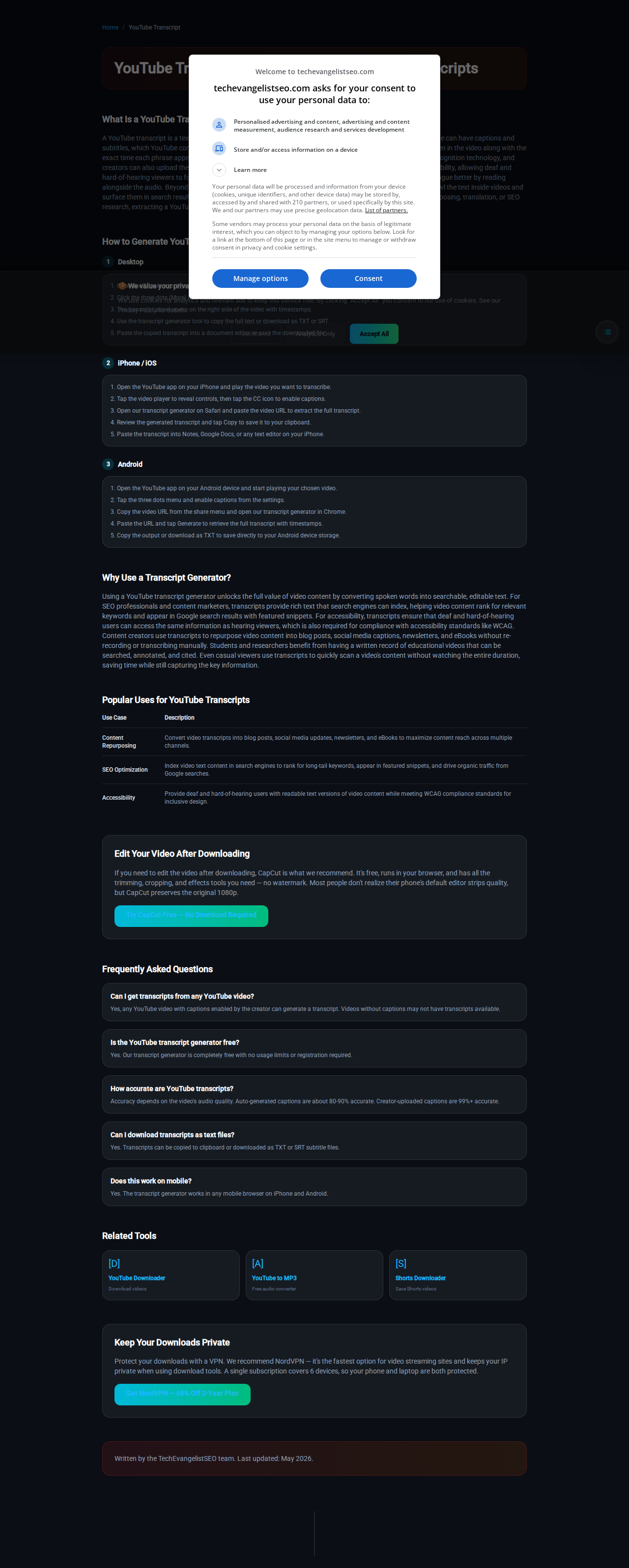
Full-page view of the YouTube to Transcript tool. Paste any YouTube video URL and get a full text transcript with timestamps.
Edit Your Video After Downloading
If you need to edit the video after downloading, CapCut is what we recommend. It's free, runs in your browser, and has all the trimming, cropping, and effects tools you need - no watermark. Most people don't realize their phone's default editor strips quality, but CapCut preserves the original 1080p.
Try CapCut Free - No Download RequiredFrequently Asked Questions
Can I get transcripts from any YouTube video?
Yes, any YouTube video with captions enabled by the creator can generate a transcript. Videos without captions may not have transcripts available.
Is the YouTube to transcript tool free?
Yes. Completely free with no usage limits or registration required.
How accurate are YouTube transcripts?
Accuracy depends on the video's audio quality. Auto-generated captions are about 80-90% accurate. Creator-uploaded captions are 99%+ accurate.
Can I download transcripts as text files?
Yes. Transcripts can be copied to clipboard or downloaded as TXT or SRT subtitle files.
Does this work on mobile?
Yes. The transcript generator works in any mobile browser on iPhone and Android.
YouTube Shorts Transcripts
YouTube Shorts work the same way as regular videos when it comes to captions. If a Short has auto-generated or creator-uploaded captions, paste the Shorts URL into the tool above and you'll get a full timestamped transcript. Shorts creators use transcripts to repurpose scripts into longer videos or blog posts. Viewers use them to grab talking points from a 60-second clip without rewatching.
The rising search for "youtube shorts transcript" reflects how many creators now treat Shorts as scriptable content - extract the spoken words, edit the text, turn it into a carousel post or a long-form outline.
Using Transcripts with AI Tools
A transcript is the best input format for AI summarization. Paste the full text into ChatGPT, Gemini, or NotebookLM and ask for a summary, list of key points, or study flashcards. The timestamps in our TXT and SRT downloads let you verify any claim against the original video.
We built this tool specifically for that workflow - fast extraction, no signup wall, clean text output. Whether you need one transcript or twenty, the result is the same: raw text you can feed into any AI tool without cleanup.
YouTube Transcript Generator AI — Free, No Signup
Our YouTube Transcript Generator AI extracts captions from any YouTube video and delivers clean, timestamped text ready for AI summarization. No signup, no limits, works on any device.
| Feature | Manual YouTube Transcript Downloader | AI Transcript Generator (ChatGPT / Gemini / NotebookLM) |
|---|---|---|
| Source | Official YouTube captions (auto or creator) | Same source — we extract, you summarize |
| Speed | Instant extraction, seconds | Paste transcript → AI returns summary in seconds |
| Output | Raw text (TXT / SRT / VTT) with timestamps | Summaries, key points, flashcards, translations |
| Cost | Free, no signup | Free tier on major AI platforms |
| Best for | Clean text archive, subtitles, citations | Quick insights, study notes, content repurposing |
Workflow: Paste YouTube URL above → Download transcript → Paste into ChatGPT / Gemini / NotebookLM → Get summary, key points, or study notes.
Frequently Asked Questions — YouTube Transcript Generator AI
What is a YouTube Transcript Generator AI?
A tool that extracts YouTube video captions and prepares clean, timestamped text for AI summarization. Our generator handles the extraction step — you paste the result into any AI for instant summaries.
Can AI generate a transcript from a YouTube video directly?
AI cannot watch videos directly. It needs the transcript text as input. Our generator provides that text instantly — you paste it into ChatGPT, Gemini, or NotebookLM for AI-powered summarization.
Is the YouTube Transcript Generator AI free?
Yes. Our extraction tool is completely free with no signup. The AI summarization step uses free tiers on ChatGPT, Gemini, or NotebookLM.
Related Tools
Keep Your Downloads Private
Protect your downloads with a VPN. We recommend NordVPN — it's the fastest option for video streaming sites and keeps your IP private when using download tools. A single subscription covers 6 devices, so your phone and laptop are both protected.
Get NordVPN — 68% Off 2-Year PlanWritten by Techevangelist - personally tested on June 11, 2026. All data below comes from real transcript extractions performed on this date.